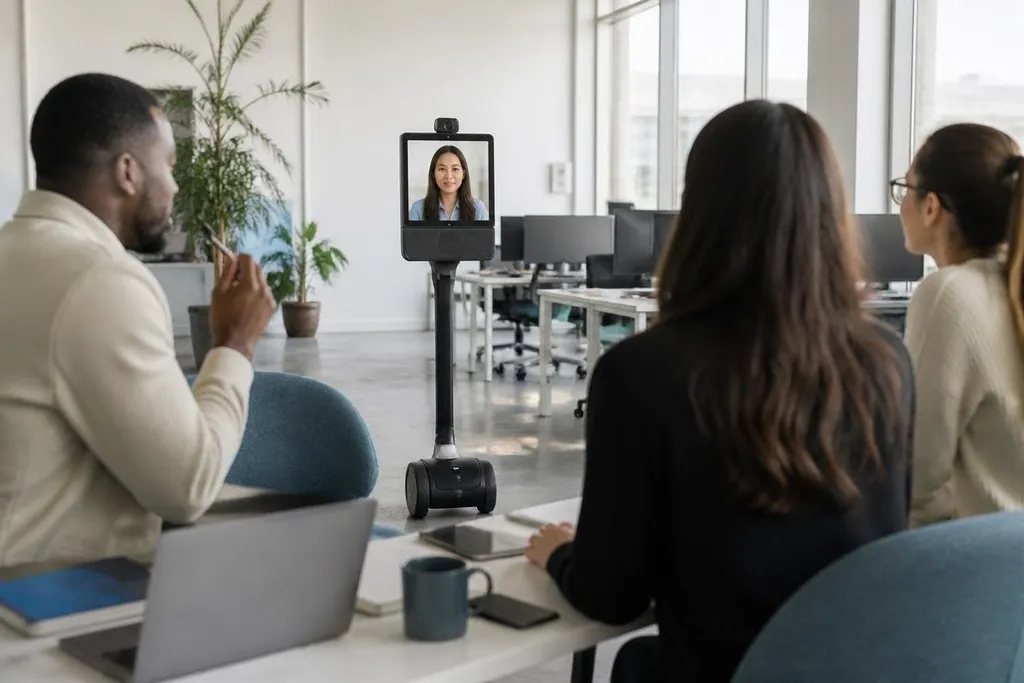
A telepresence robot puts a remote worker’s video, voice, and movement inside a shared workplace. The person drives it from a computer or tablet, talks through its speaker, and looks around through its camera. That changes remote work when a fixed webcam cannot show enough of the room.
Quick read
- A mobile base lets a remote worker move between rooms instead of staying at one desk.
- The robot adds a physical location to video calls, but it still needs people nearby for access and safety.
- The main question is fit: daily office work needs a different robot from plant inspections or hospital rounds.
What the robot adds
A normal video call gives you a view of one place. A telepresence robot can move that view. The remote operator may drive toward a meeting room, turn toward a speaker, or stop beside a work area.
Most systems use a wheeled base, a display, a camera, a microphone, and a speaker. Some include height adjustment, automatic charging, obstacle detection, or software that helps the robot move through mapped rooms. These parts work together, but the camera view and controls still decide how useful the system feels.
That mobility matters for work that depends on informal contact. A remote manager may need to speak with a team member near a machine. An engineer may need to look at a test setup from another angle. A teacher may need to move between groups during a practical session.
The robot does not recreate physical presence. It gives the remote person more control over where the conversation happens and what they can see.
Where telepresence fits
The clearest use cases involve places where people already move around during the day. An office, classroom, clinic, laboratory, or showroom may gain more from a mobile system than a home worker sitting at a fixed desk.
In a factory or warehouse, the robot can carry a live video link into areas that are hard for a remote specialist to reach. That does not make it a worker or inspection system by itself. A trained person still needs to judge what the camera shows, and local rules may limit where the robot can go.
Remote support is another practical use. A specialist can look at equipment through the robot’s camera while a technician on site handles the physical work.
The video may help the specialist point to a part or explain a procedure, but the quality of that help depends on lighting, network delay, camera position, and the local technician’s view.
Network delay can turn a remote inspection into a series of missed movements. A buyer needs to compare that delay with camera placement, drive controls, and service terms, rather than review the video feed alone. Robot 24 can sit beside system manuals and trial notes as you check those trade-offs before looking at daily limits.
The limits that shape daily use
Movement creates new problems. Door thresholds, narrow passages, lifts, crowded rooms, and loose cables can stop a wheeled robot. A floor plan that works on paper may need changes after staff start using the robot.
Audio also needs care. A remote worker may hear one person clearly while missing another person standing behind the robot. A screen can show the operator’s face, but people in the room still need to know who is speaking and why the robot is there.
Privacy needs a clear rule before deployment. Cameras and microphones can record sensitive work areas, customer information, or private conversations. Staff should know when the robot is active, who can control it, and how video or audio data is handled.
Cost includes more than the robot. You may need a charging spot, network coverage, user accounts, training, local support, and a process for moving the robot when it gets stuck. If the robot spends much of the day parked, a fixed video station may fit the job better.
I’d choose telepresence for work that needs remote eyes and a changing location, not as a replacement for ordinary video calls.
A buying checklist
Before you run a pilot, check these points:
- Map the route: Test doors, lifts, floor changes, tight turns, and charging access.
- Check the view: Confirm that the camera shows faces, tools, screens, or equipment at the needed distance.
- Measure the network: Test video and audio in the rooms where the robot will operate.
- Set privacy rules: Decide when cameras and microphones may run, who can log in, and how data is stored.
- Name local help: Assign a person who can move the robot, charge it, or recover it after a blocked route.
A useful pilot should track more than call time. Count failed trips, missed conversations, support requests, and tasks completed without sending someone across the site. Those results show if mobility changes the work or only adds another screen.
The next decision is practical: identify one task where remote vision and movement matter, then test that route with the people who will use it.